This process only applies when the new amendment booking is still Awaiting payment.
Cancelling the unpaid amendment booking will cancel the requested exam change and
return the original enrolment to its previous active status.
No amendment payment will be taken.
Steps
- Open the new, amended booking that is Awaiting payment.
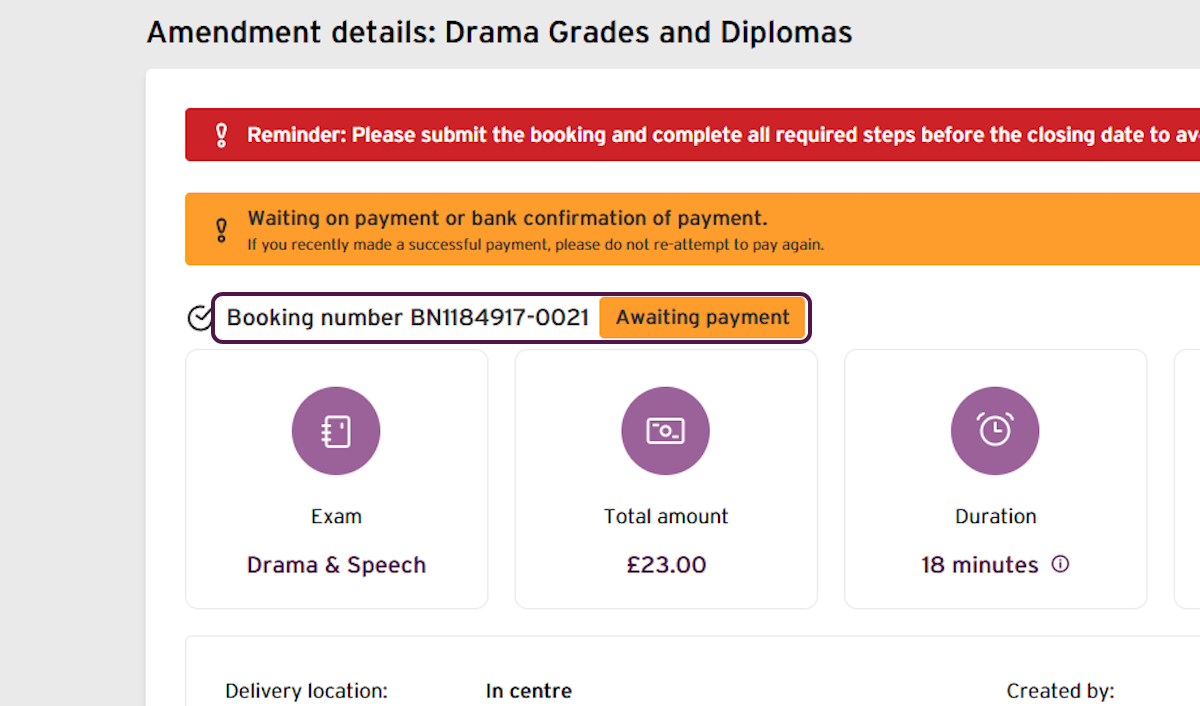
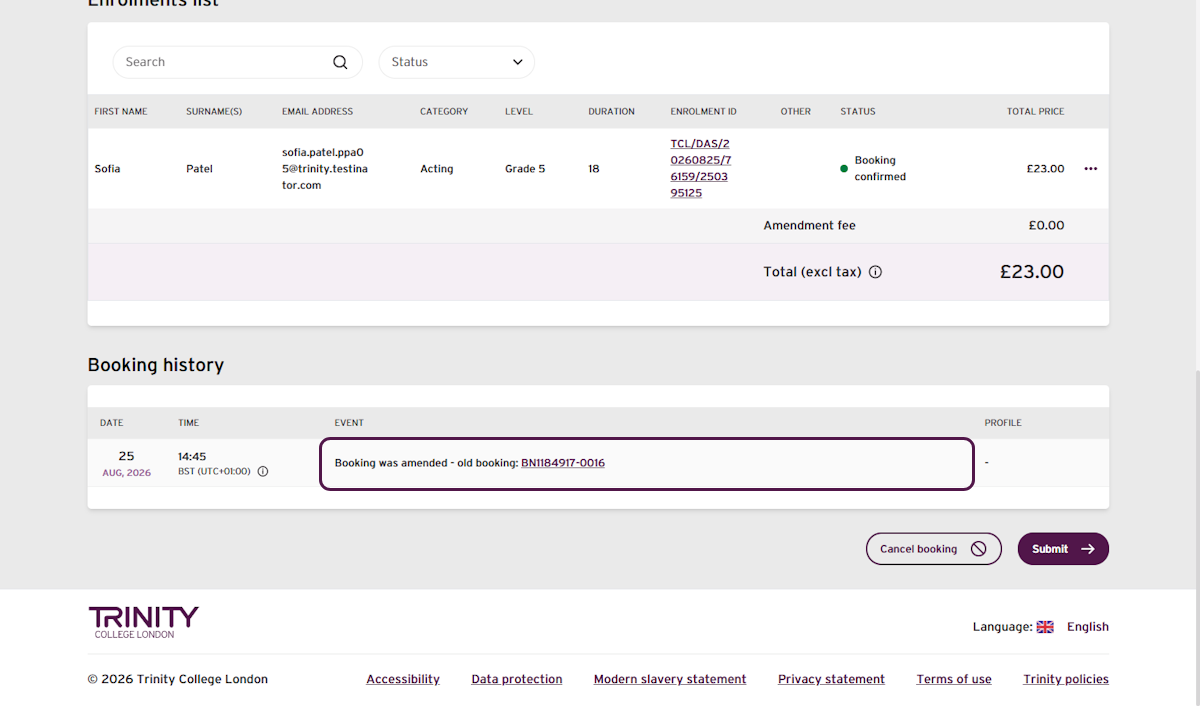
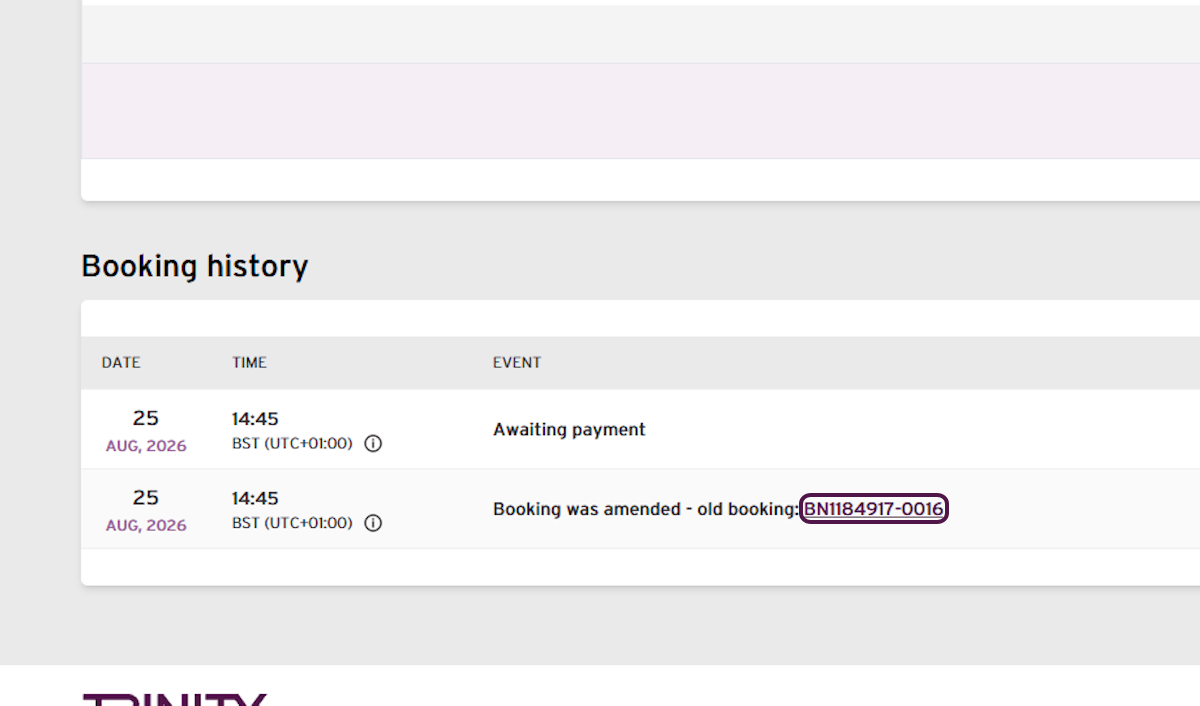
- In the booking history, select the old booking number.
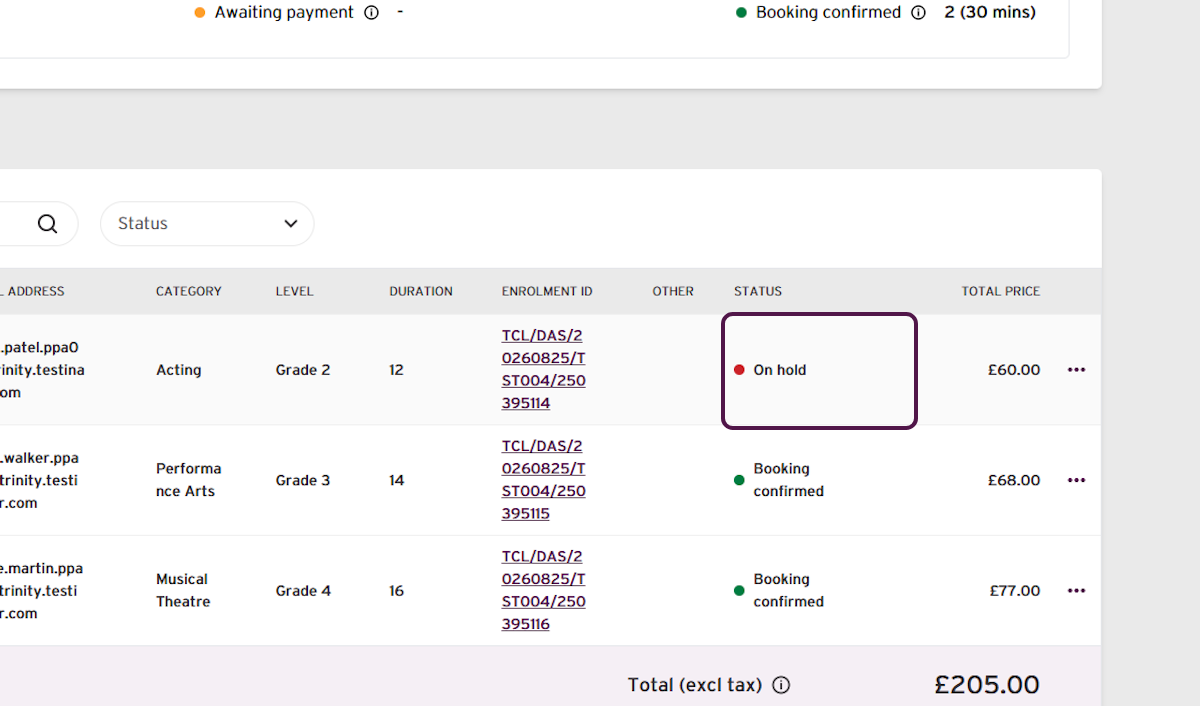
Confirm the enrolment is On hold.
Warning: Check that you are cancelling the new booking showing Awaiting payment, not the original booking. If the amendment has already been paid, cancelling the replacement booking will not reactivate the original enrolment.
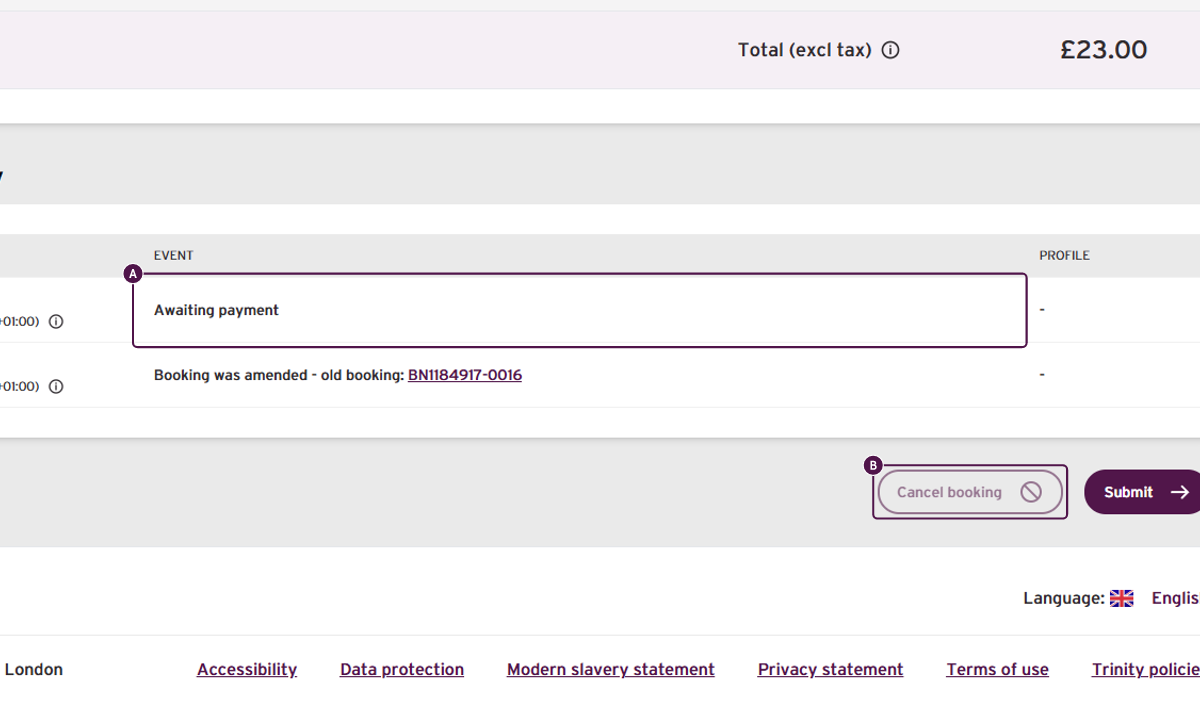
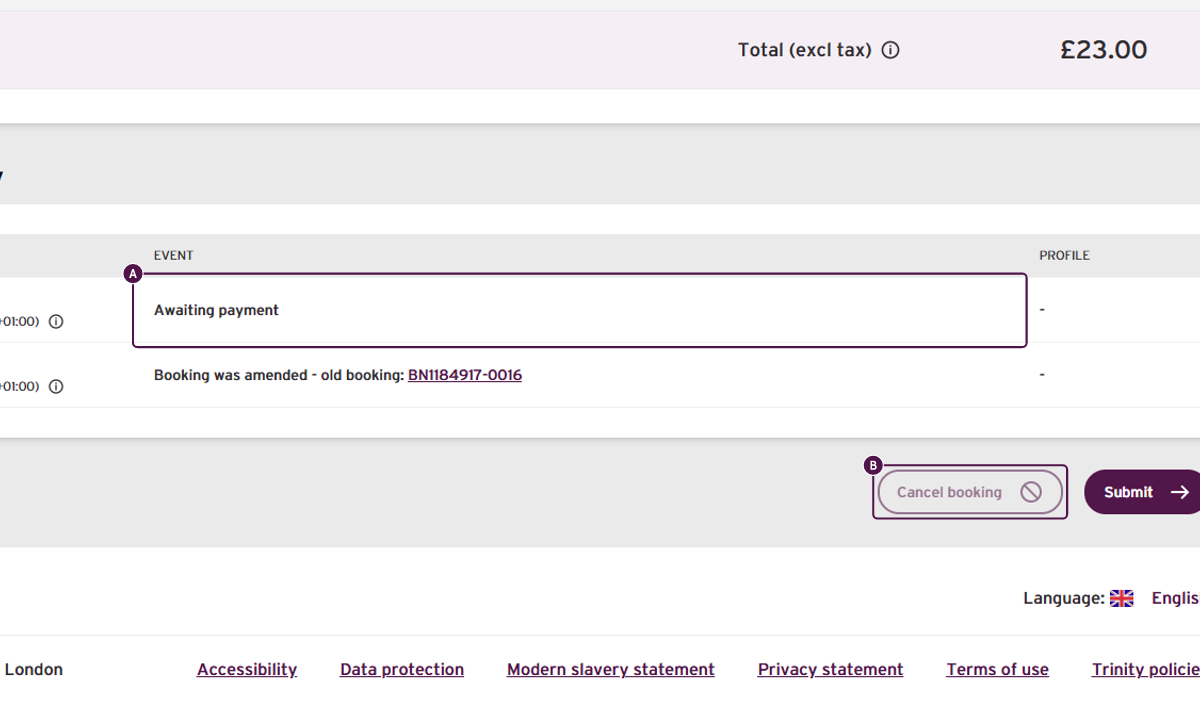
- Return to the new, amended booking and confirm that its history shows Awaiting payment.
- Select Cancel booking.
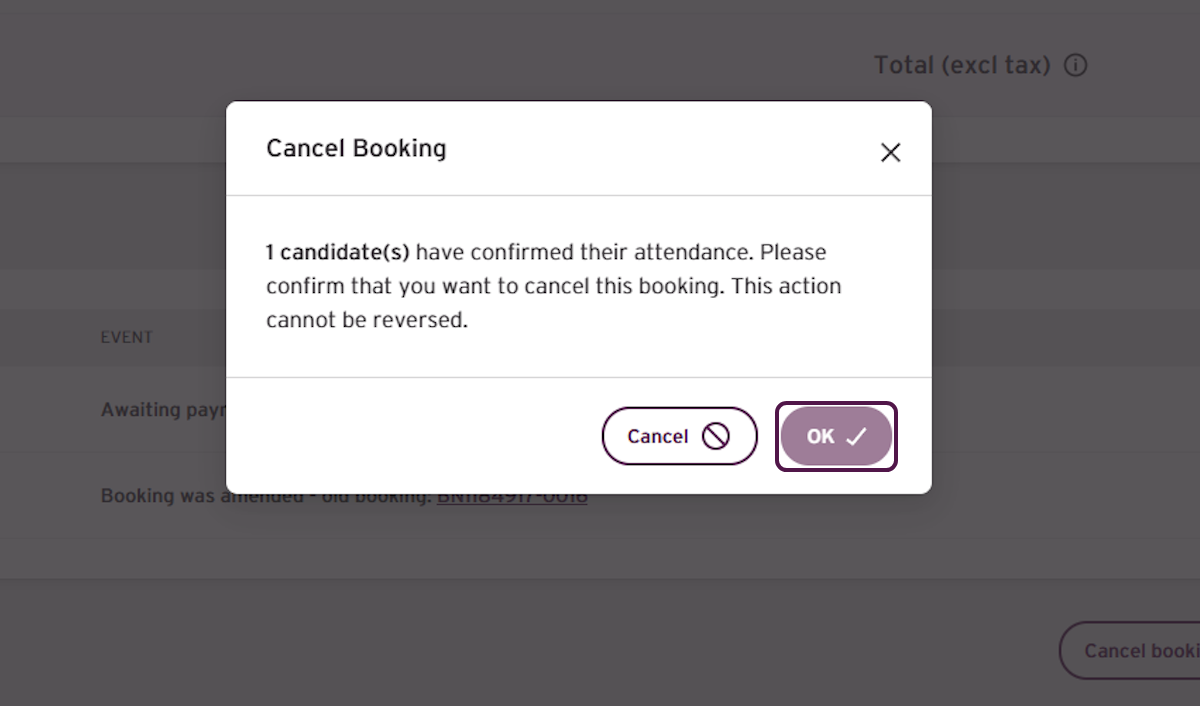
- Review the cancellation information.
- Confirm that you want to cancel the booking.
- Confirm that the success message says the booking is cancelled and the enrolment status will be updated shortly.
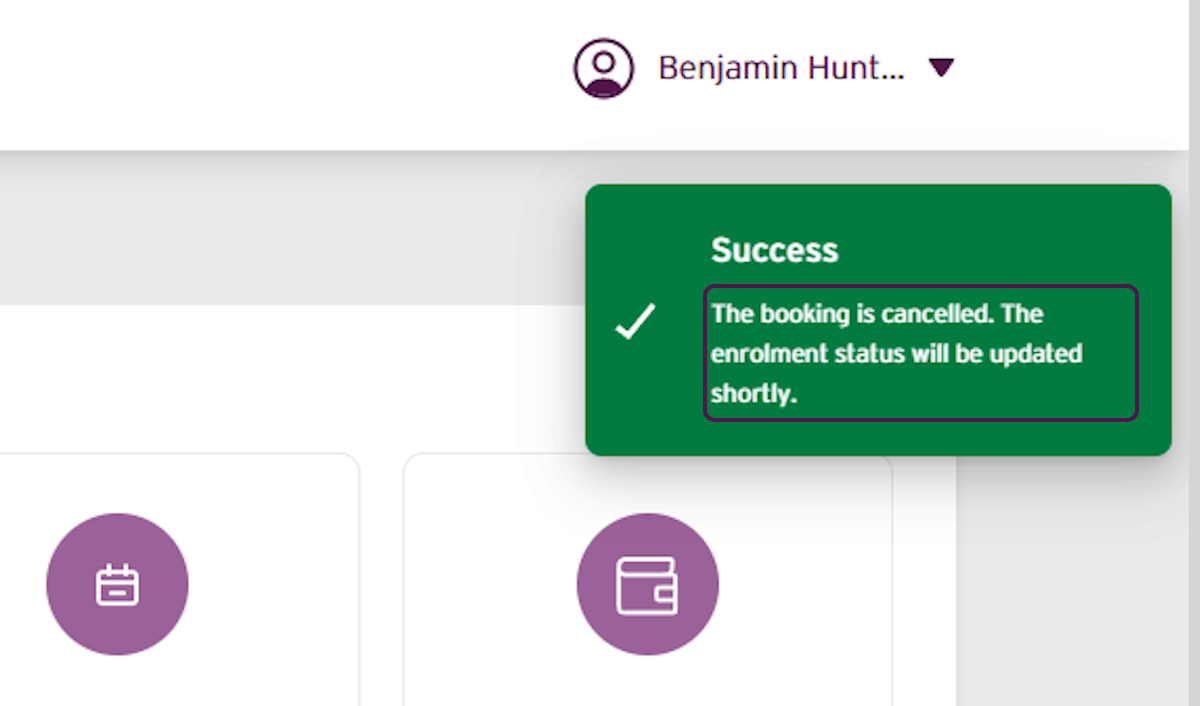
Important: The original enrolment status may take a short time to update. Refresh or reopen the booking before checking its final status.
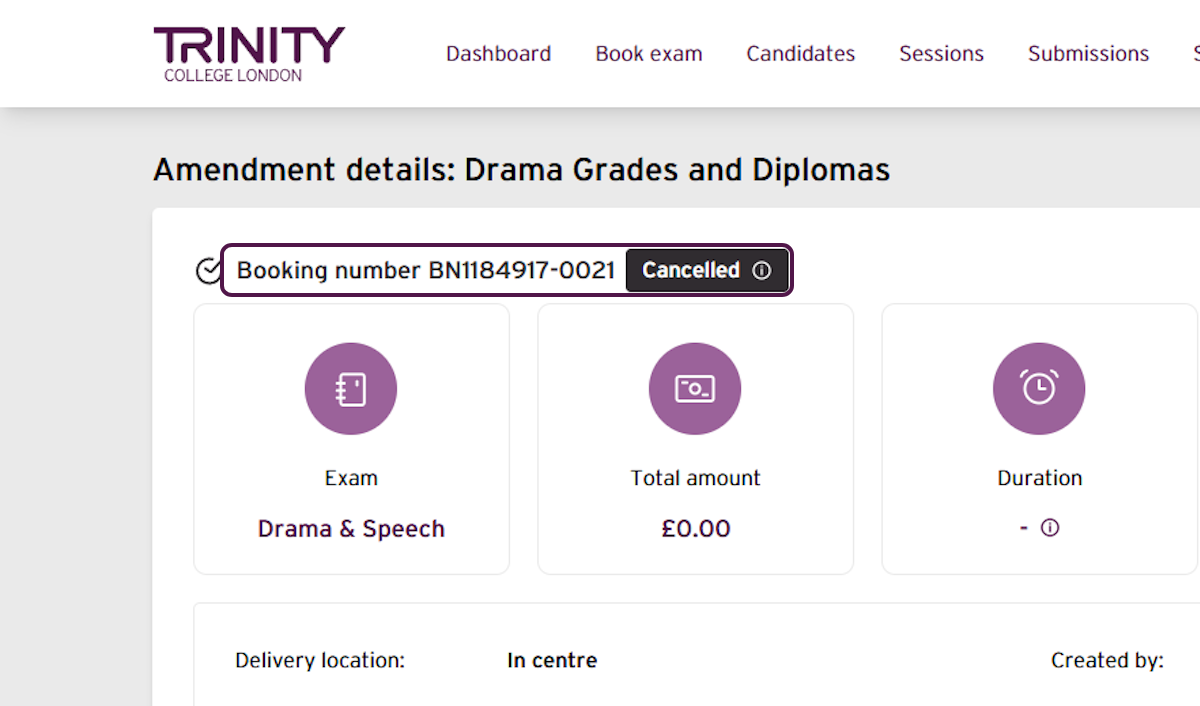
- After a moment, confirm that the amendment booking now shows Cancelled.
- Return to the original booking.
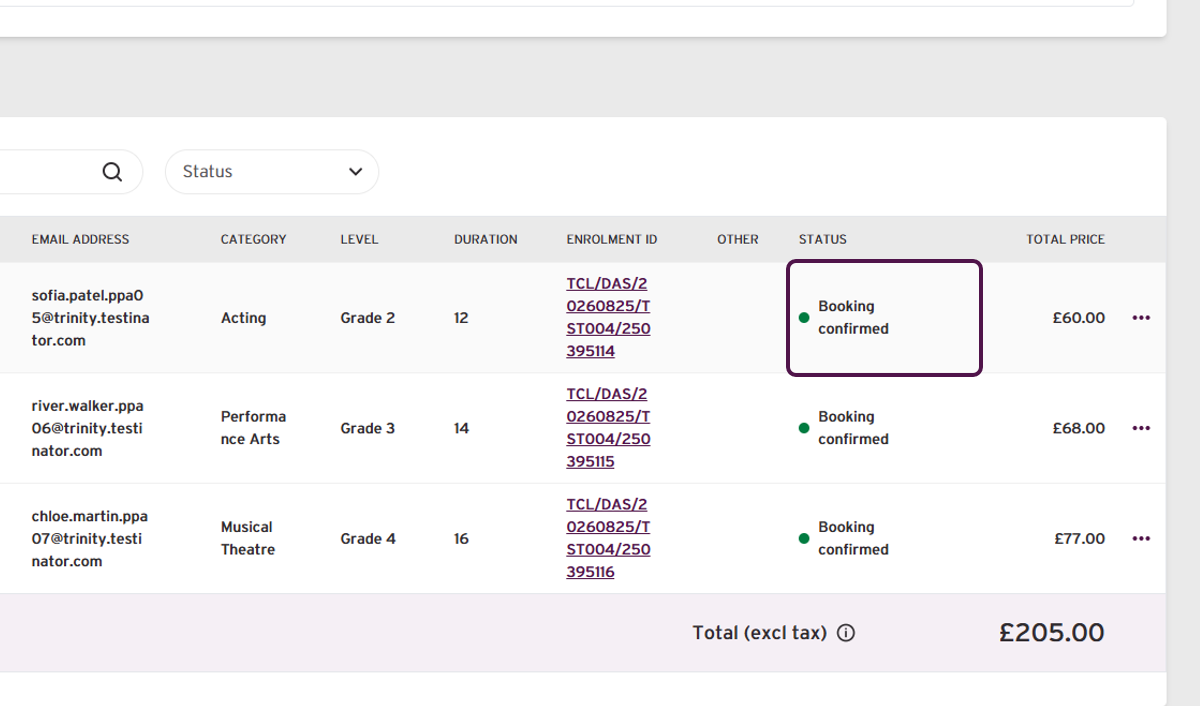
- Confirm that the original enrolment has returned to Booking confirmed.
Outcome
The unpaid amendment booking is now Cancelled and the original enrolment
has returned to Booking confirmed.
No amendment payment was taken and the requested exam change was not completed.
If any personal details were changed at the same time as the exam, those personal-detail
changes will remain saved.
The original booking confirmation email may be sent again. This is a copy of the existing
confirmation and does not mean that another booking has been created.
If you have any concerns, or do not receive your confirmation email, contact your Trinity support for additional assistance.
Was this article helpful?
That’s Great!
Thank you for your feedback
Sorry! We couldn't be helpful
Thank you for your feedback
Feedback sent
We appreciate your effort and will try to fix the article