Use this process when you need to change editable candidate information after payment and the exam stays the same.
Before you start
- Personal-detail changes update the existing enrolment. They do not create a replacement booking or require another payment.
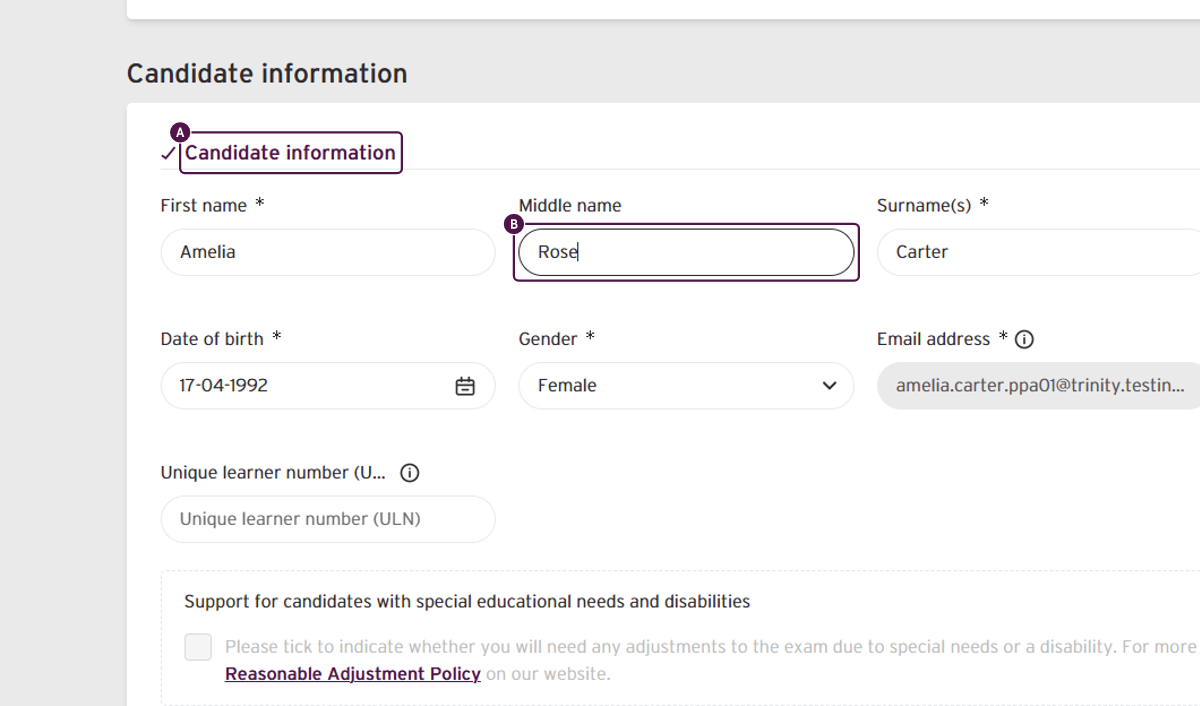
- The candidate's email address cannot be changed through this process.
Steps
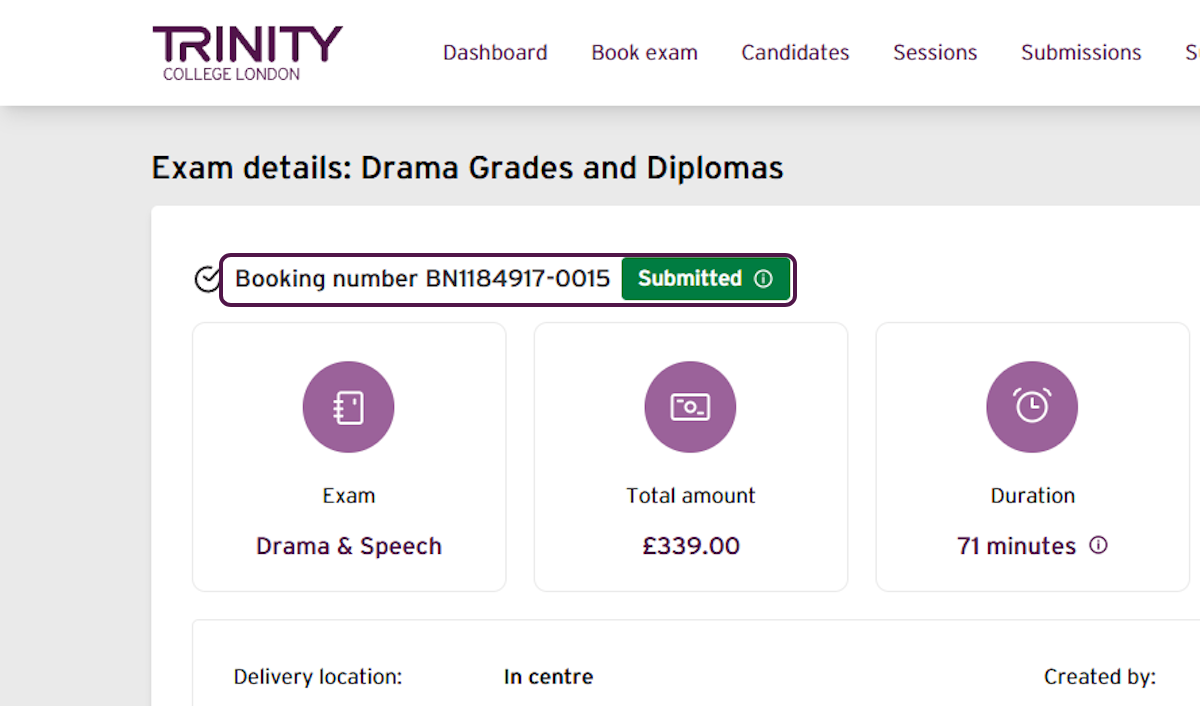
Select the booking number for the paid booking you want to update.
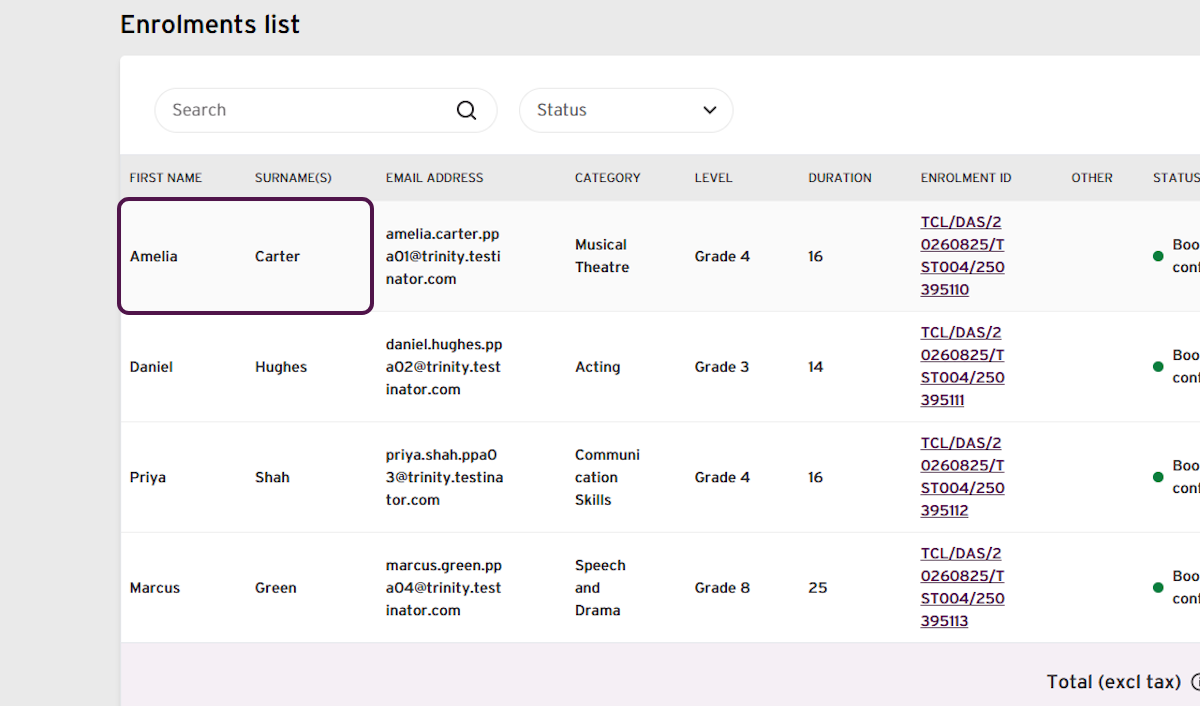
In the enrolments list, find the individual candidate.
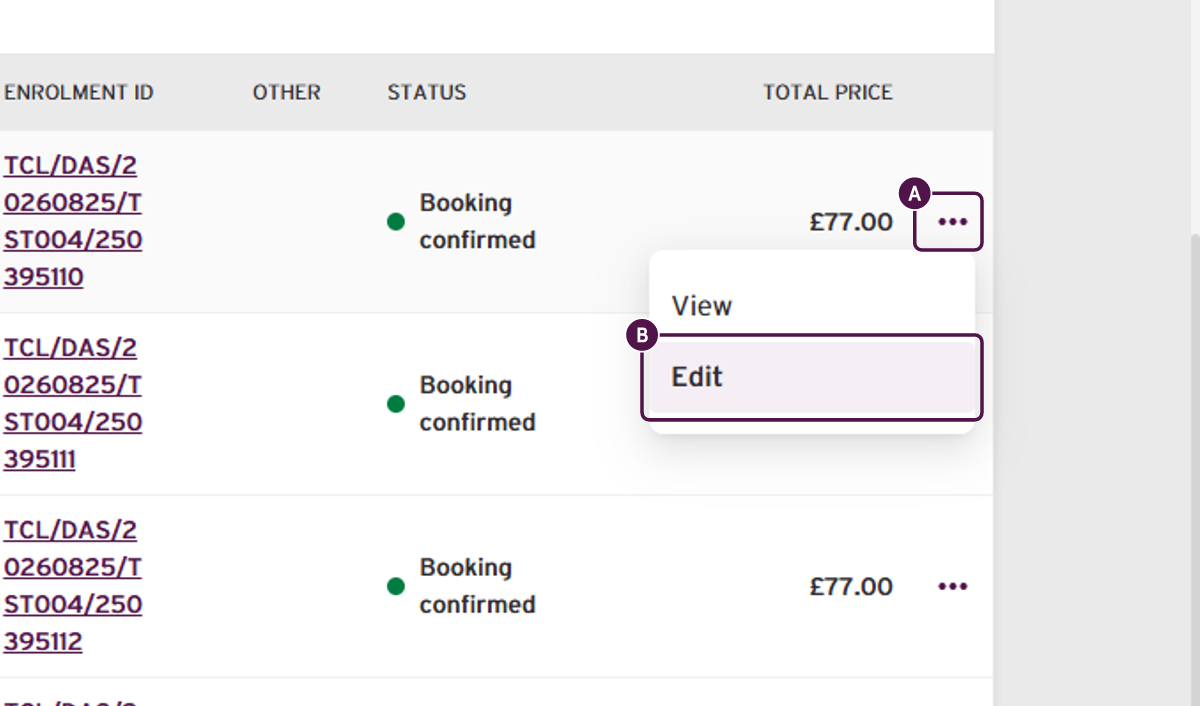
- Select the three-dot menu beside the candidate's enrolment, then select Edit.
- Scroll to find the amendable candidate information and make the required changes.
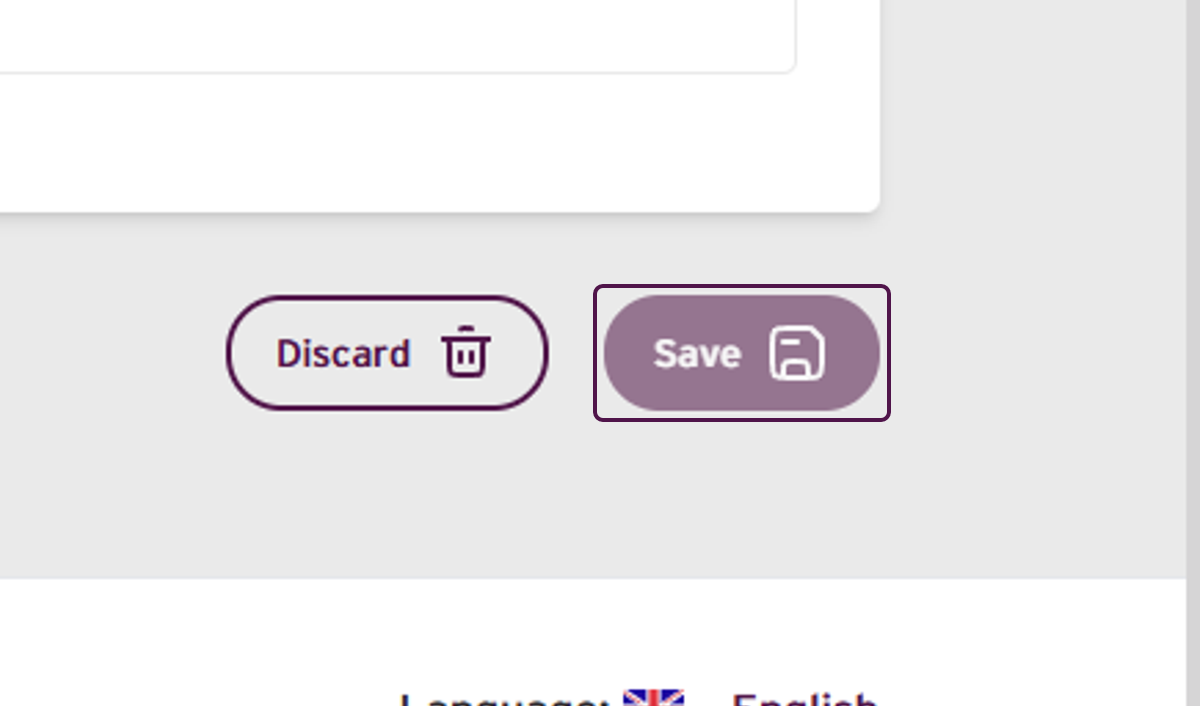
- Select Save to continue.
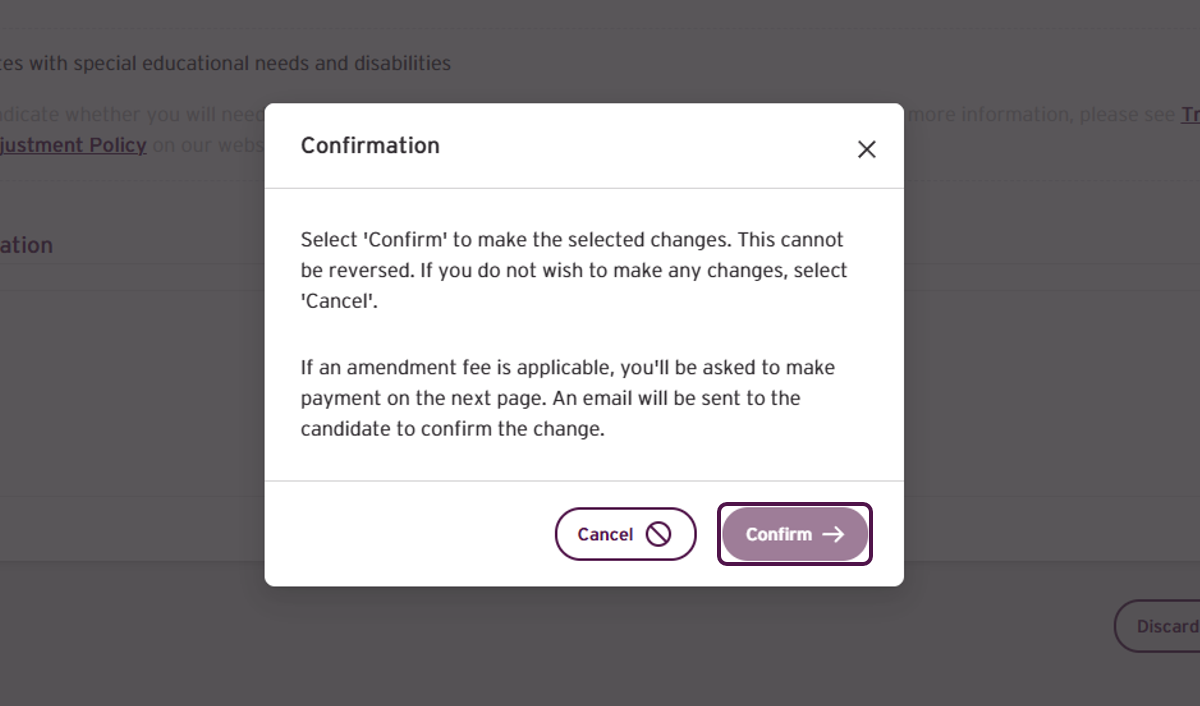
- Review the confirmation message, then select Confirm.
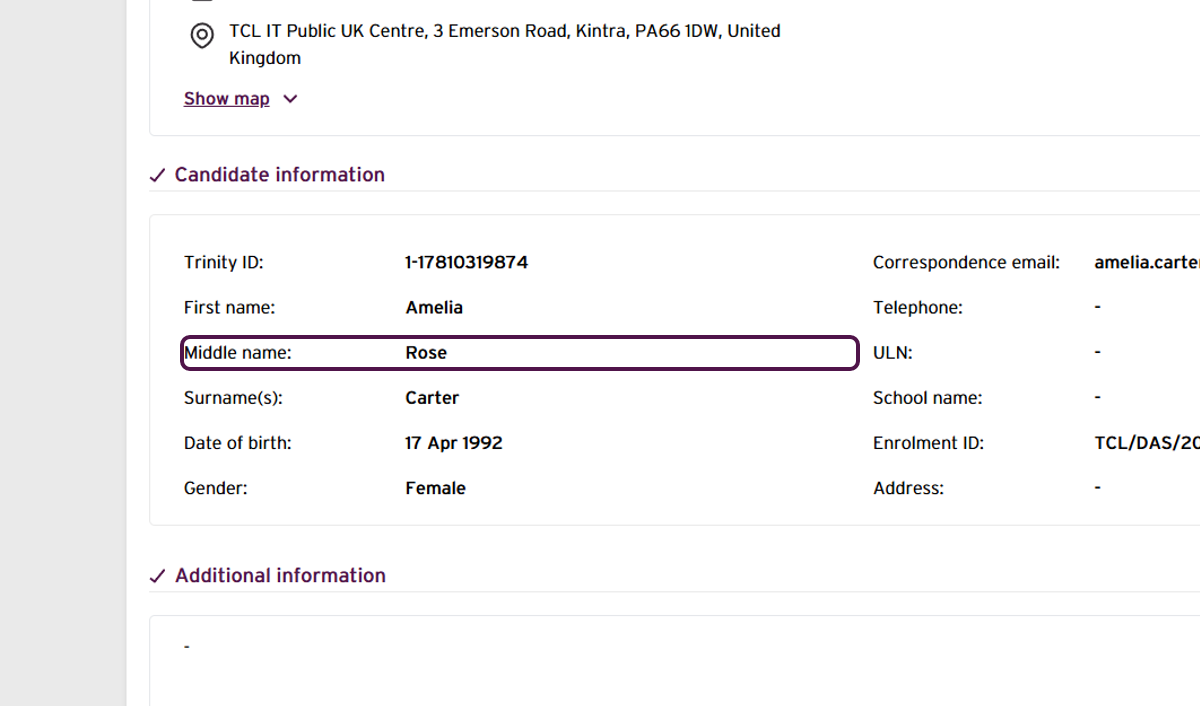
- After confirming, you are returned to the enrolment summary page. Confirm that the updated details are displayed.
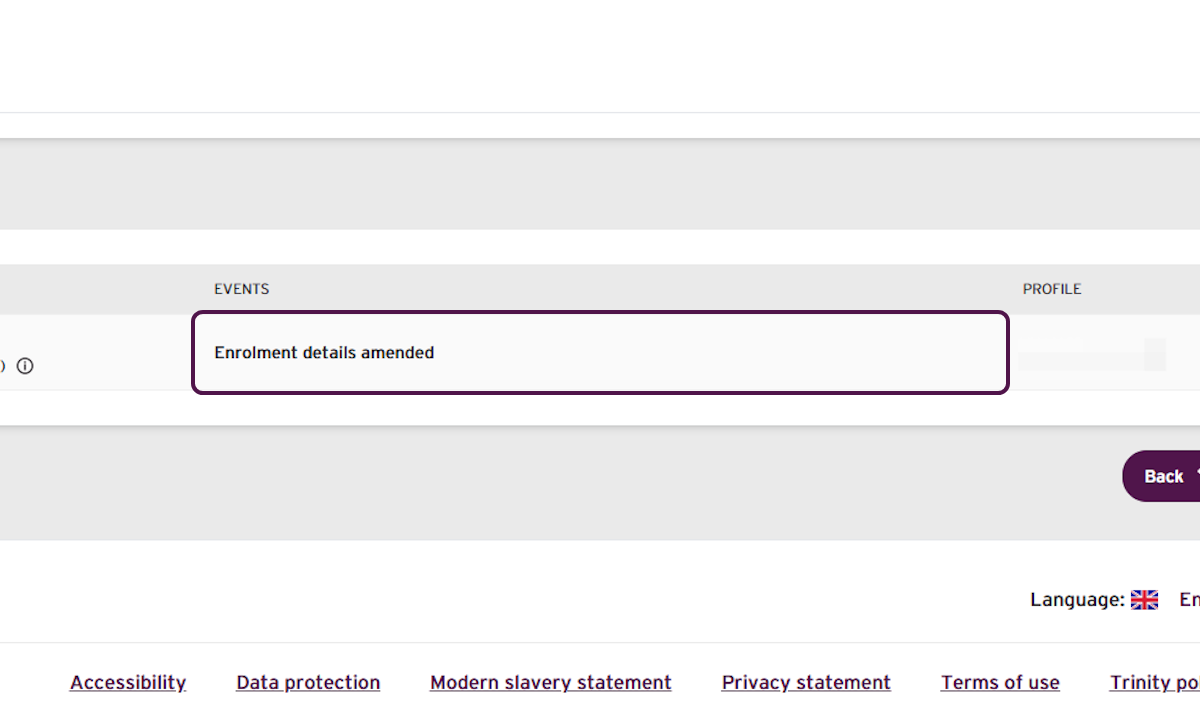
- Confirm that the enrolment history at the bottom shows Enrolment details amended.
Important information
The confirmation message refers to an amendment fee if one is applicable. No amendment fee or additional payment applies when only personal details are changed.
Outcome
The candidate's personal details have been updated on the existing enrolment.
No replacement booking has been created and no payment is required.
The candidate will receive an email confirming that their details have been changed.
If you have any concerns, or do not receive your confirmation email, contact your Trinity support for additional assistance.
Was this article helpful?
That’s Great!
Thank you for your feedback
Sorry! We couldn't be helpful
Thank you for your feedback
Feedback sent
We appreciate your effort and will try to fix the article