Overview
This article explains how to manage your Trinity College London digital certificate after you have accessed it for the first time, including account setup, password access, multiple certificates, email issues, and how to share or download your certificate.
All digital certificates are delivered via the Accredible platform.
Accessing your digital certificate after first use
When you first open your certificate using the “View my certificate” link, you are given temporary access to your digital certificate.
During this time, you can:
- View your certificate
- Download it as a PDF
- Share or email your certificate
- Create an Accredible account
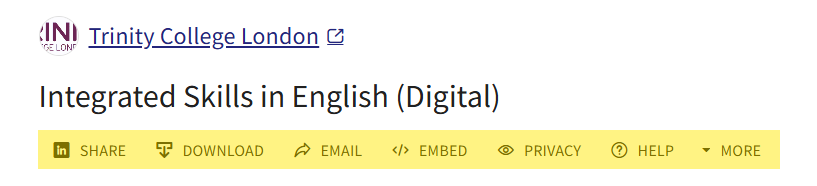
Creating and managing your Accredible account
You can create an account by selecting “Set a Password” when viewing your certificate.
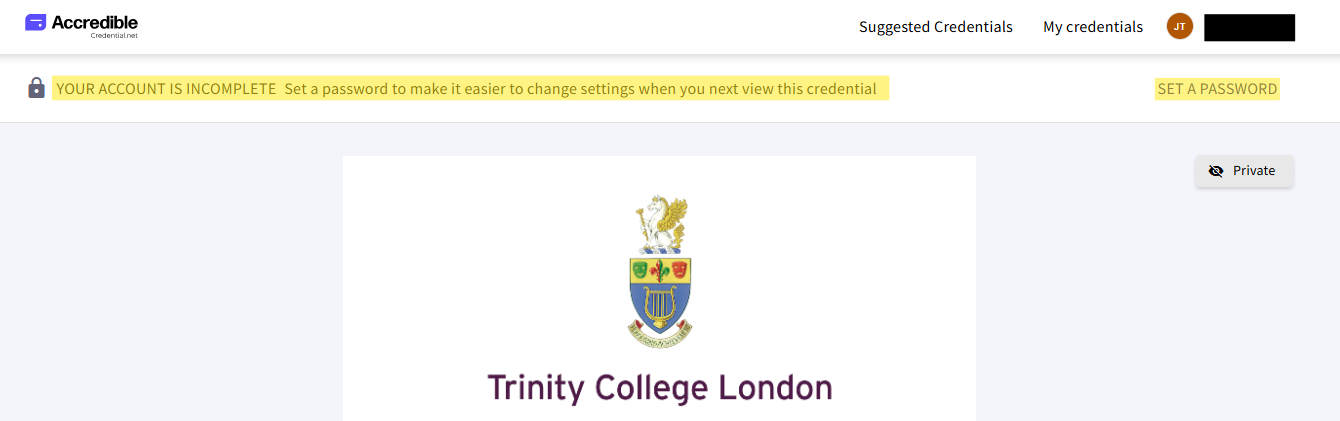
Creating an account allows you to:
- Access all your Trinity certificates in one place
- Maintain ongoing access after the initial email link expires
- Manage your digital credentials more easily over time
If you already have an account, you can use it to access additional certificates issued by Trinity using the same email address.
Password and account access
If you have created an account, you can login here.
Accredible provides a password reset option. This allows you to regain access if you forget your login details.
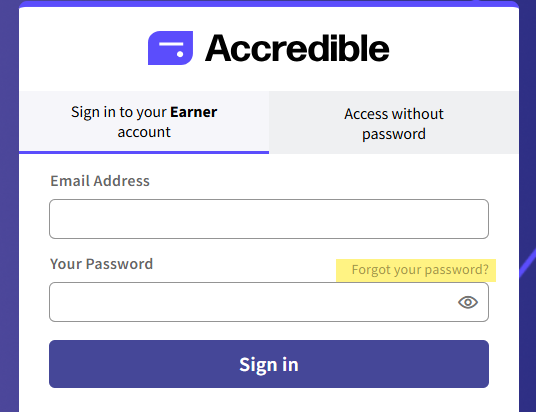
If you have not created an account and your one-time access link has already been used, you may need to request a new link to regain access to download, sharing and account creation features:

Multiple certificates and email usage
If you use the same email address for multiple Trinity exam entries, your certificates will normally be associated with the same account.
If different email addresses are used, certificates will be delivered separately to those email addresses. You can contact trinity to request a re-issue to a different email address, should you wish.
Email address issues and reissuing certificates
If you no longer have access to the email address used to receive your certificate, you can contact trinity to request a re-issue to a different email address
However:
- Certificates cannot be merged across different accounts
- Certificates must be reissued to the required email address if consolidation is needed
Difference between a new link and a reissued certificate
It is important to understand the difference between:
Requesting a new link
- Used when your certificate email has expired or been deleted
- Sends a new access email to your original email address
- Restores temporary access to your certificate, if you have not created an account
Reissuing a certificate
- Used when your certificate needs to be moved to a different email address
- Used when email access has been lost, your email has been deleted or lost, or correction is required
Sharing your digital certificate
Your certificate is private by default and should not be forwarded directly using the original email link.
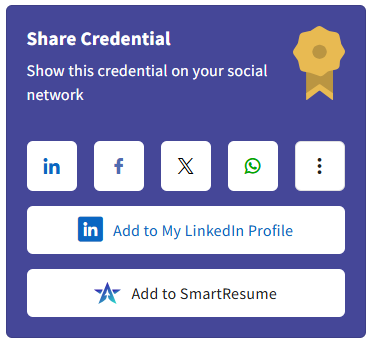
Instead, use the sharing tools within the Accredible platform.
Available sharing options include:
- Secure certificate link (public or private)
- Email sharing
- LinkedIn (post or profile integration)
- Smart Resume
- X (Twitter)
Download and export options
You can download your certificate in multiple formats:
- PDF version
- JSON (Open Badge 3.0 format)
- JSON (W3C Verified Credential format)
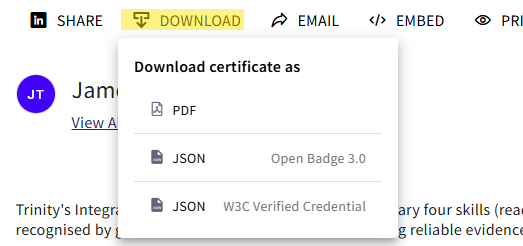
These formats allow you to store or use your certificate in different systems or platforms.
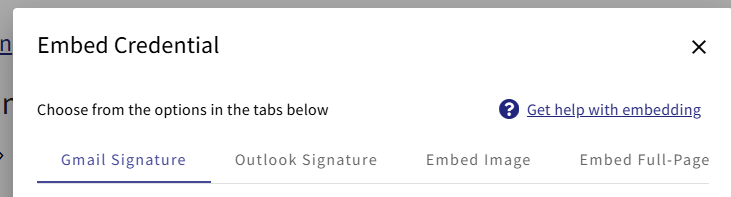
Embedding your certificate
Your certificate can also be embedded in professional materials such as:
- Gmail email signatures
- Outlook email signatures
- Websites or portfolios (image embed)
- Full-page certificate display embeds
Additional creation tools
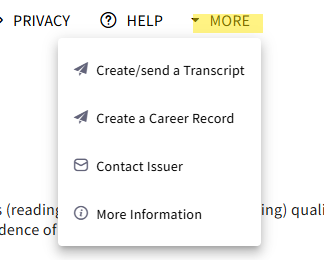
Accredible also allows you to generate:
- A transcript of your achievements
- An Accredible Career Record entry
Important privacy information
Your certificate link is private by default.
If you want to share your certificate:
- Use the built-in sharing tools
- Do not forward your original certificate email link
Under 18 candidates
If you are under 18, your certificate is normally linked to a parent or guardian email address.
In these cases:
- The account may be managed by a parent or guardian
- Access can later be transferred to the candidate’s own email address once they turn 18
- you can contact trinity to request a re-issue to a different email address
Summary
To manage your digital certificate:
- Use your Accredible account for ongoing access where possible
- Use “Send a new link” if your access email expires
- Request reissue from Trinity if your email address needs changing
- Use Accredible sharing tools instead of forwarding certificate emails
Was this article helpful?
That’s Great!
Thank you for your feedback
Sorry! We couldn't be helpful
Thank you for your feedback
Feedback sent
We appreciate your effort and will try to fix the article